

The 7 Best AI Landing Page Builders in 2026 (I Tested Them All With the Same Prompt)
I ran the same prompt through 7 AI landing page builders. Framer wins on design, Lovable on backends, and Acebuilder is the one that lets you own the React code.

Manu Arora
Founder, Aceternity
On this page▾
- Why you should (mostly) trust this review
- The test
- The comparison table
- 1. Framer: still the design king
- 2. Acebuilder: the one where you own the code
- 3. Lovable: when the page needs to do something
- 4. v0: great components, not great pages
- 5. Durable: fast, cheap, and it shows
- 6. Unicorn Platform: the quiet budget pick
- 7. Unbounce: a different sport entirely
- So which one should you pick?
- FAQ
Quick answer: For most people, Framer is still the best AI landing page builder in 2026 if you care about design polish and never want to touch code. If you want to actually own the React code, download it, and keep building on it with an LLM, Acebuilder (which I built, full disclosure below) is the one to look at. Lovable is the pick when your "landing page" secretly needs a backend. Everything else fills a narrower gap.
Why you should (mostly) trust this review
I run Acebuilder, one of the tools on this list. That obviously makes me biased, so here's how I'm handling it: I used the exact same prompt in every tool, I'm scoring each one on a fixed rubric, and I'm going to be blunt about where Acebuilder loses. Two of the tools here beat it in categories I care about. If that changes, I'll update this post.
We're also bootstrapped, which matters for one reason: Acebuilder has no free plan. Every competitor here except Unbounce does. I'll come back to that.
The test
One prompt, pasted into all seven tools with zero edits:
"Build a landing page for a SaaS called InvoiceFlow that helps freelancers track invoices and get paid faster. Include a hero, feature section, pricing, testimonials, and a FAQ."
I scored each tool on five things:
- Design quality. Does it look like a designer made it, or like a template from 2019?
- Speed to first usable page. Minutes from prompt to something I'd actually show people.
- Editability. How painful is iteration after the first generation?
- Code ownership. Can you leave with your code, or are you renting?
- Price. What you actually pay to get a real site live on a real domain.
The comparison table
| Tool | Best for | Starting price | Free plan | Code export |
|---|---|---|---|---|
| Framer | Design-led brands | $10/mo | Yes (subdomain) | No |
| Acebuilder | Owning your React code | Paid only | No | Yes, full React + Tailwind |
| Lovable | Pages that need a backend | $25/mo | Yes (daily credits) | Yes |
| v0 | Developers on Vercel | $20/mo | Yes ($5/mo credits) | Yes (components) |
| Durable | Local businesses in a hurry | $12/mo | Yes | No |
| Unicorn Platform | Bootstrappers on a budget | $9/mo | Yes | No |
| Unbounce | Paid ads teams | $74/mo | No | No |
1. Framer: still the design king
Framer's AI Wireframer generated the best-looking page of the seven, and it wasn't close. The spacing, the type scale, the way sections flow into each other. It looks like a studio built it, and I say that as someone who sells a competing product.
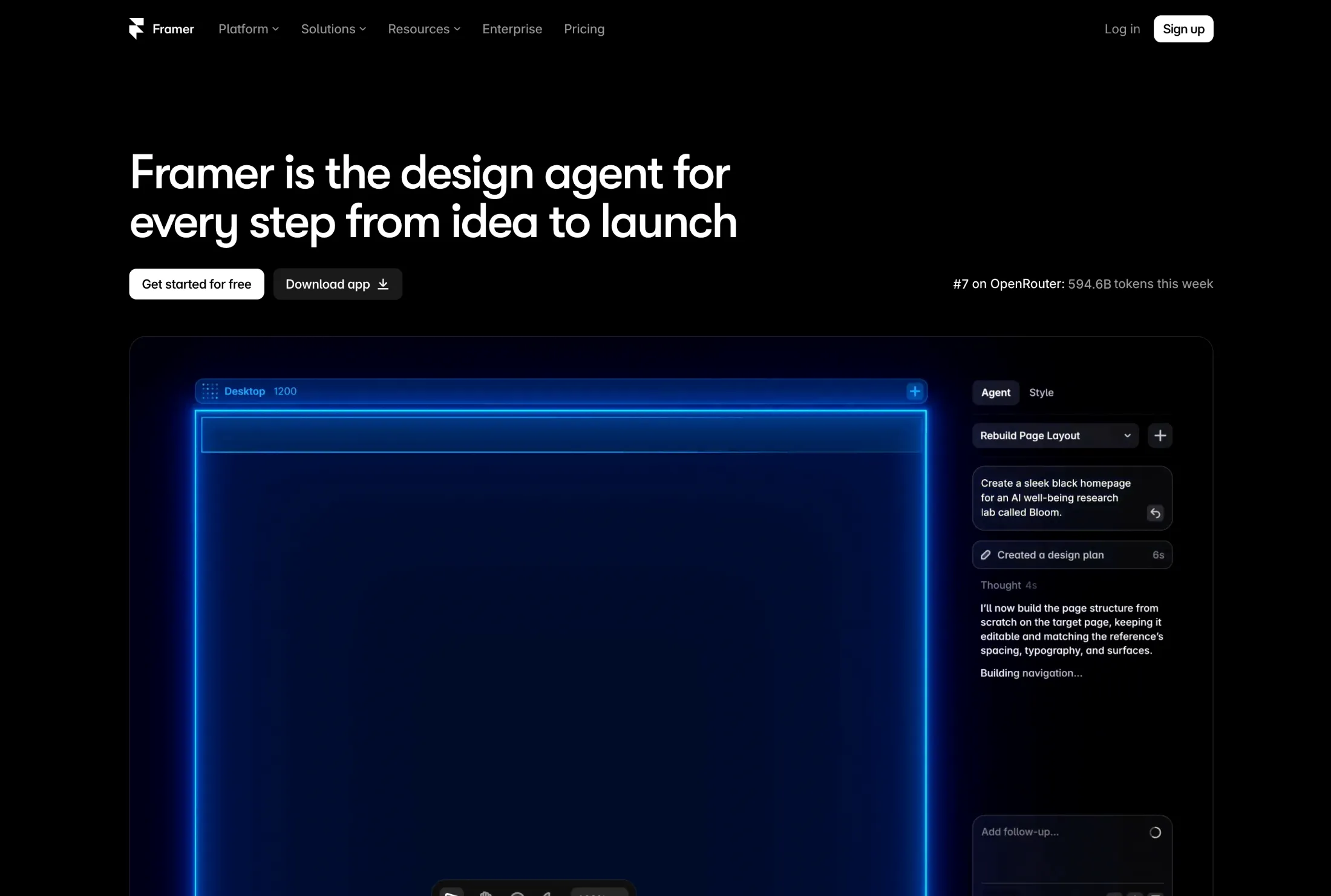
The catch is the same as it's always been. Your site lives on Framer. There is no "download my React code" button because it isn't React under the hood, it's Framer's own thing. If they raise prices or you outgrow the platform, you're rebuilding from scratch. The canvas also has a real learning curve once you go past the AI's first draft.
Pick Framer if design quality is your top priority and you're fine renting your site forever. Skip it if you ever want to own the code.
2. Acebuilder: the one where you own the code
Here's my pitch, and then my honest cons.
Acebuilder is built on Aceternity UI, so the components it generates aren't generic AI filler. You get the animated heroes, bento grids, and feature sections that people pay for as templates, plus a library of pre-built blocks (heroes, pricing, testimonials, FAQs, CTAs) you can drop in and reshape in chat. Describe the page, iterate in the chat, and when you're happy you download the full React + Tailwind source.
That download is the whole point. Once you have the code, you can hand it to Claude, Cursor, or whatever LLM you like and keep building on it yourself. Add a blog, wire it into your app, host it anywhere. There's no platform holding your page hostage. That's the game Acebuilder lets you play, and none of the design-first tools on this list let you play it.
Now the cons. It's paid only. We're a bootstrapped team and can't subsidize a free tier the way venture-backed competitors can, so if you want to poke around for free, this isn't the tool. It's also younger than everything else on this list, which means a smaller community and fewer third-party tutorials. And if you want a hosted site with a CMS and analytics included, Framer does more out of the box.
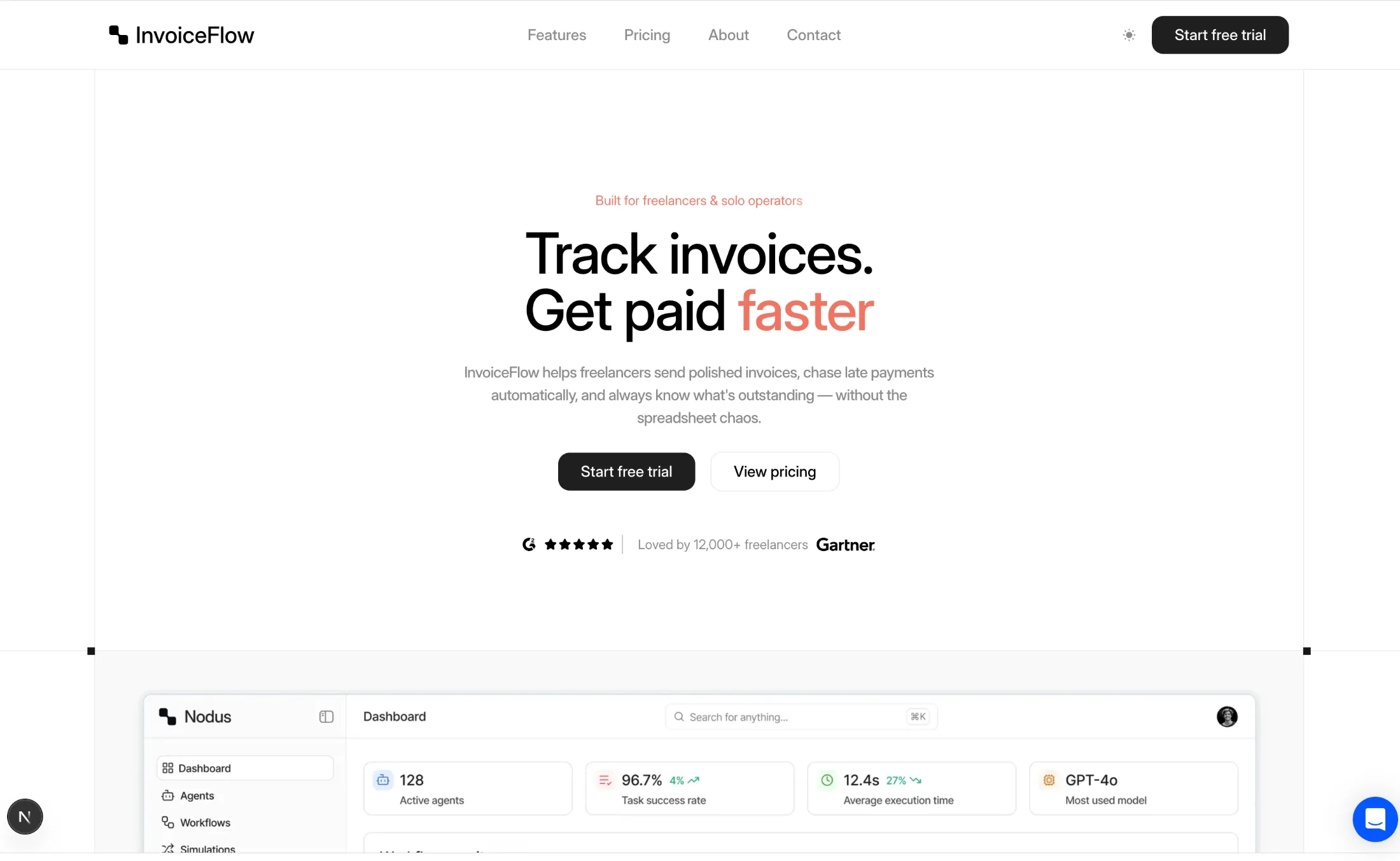
Pick Acebuilder if you want a great-looking page and full ownership of production React code. Skip it if you need a free plan or want hosting, CMS, and analytics bundled in.
3. Lovable: when the page needs to do something
Lovable gave me the most functional result. It didn't just make a page, it made a little app: working signup form, a dashboard stub behind it, Supabase wired in. If your "landing page" is really a waitlist with user accounts, Lovable is genuinely impressive.
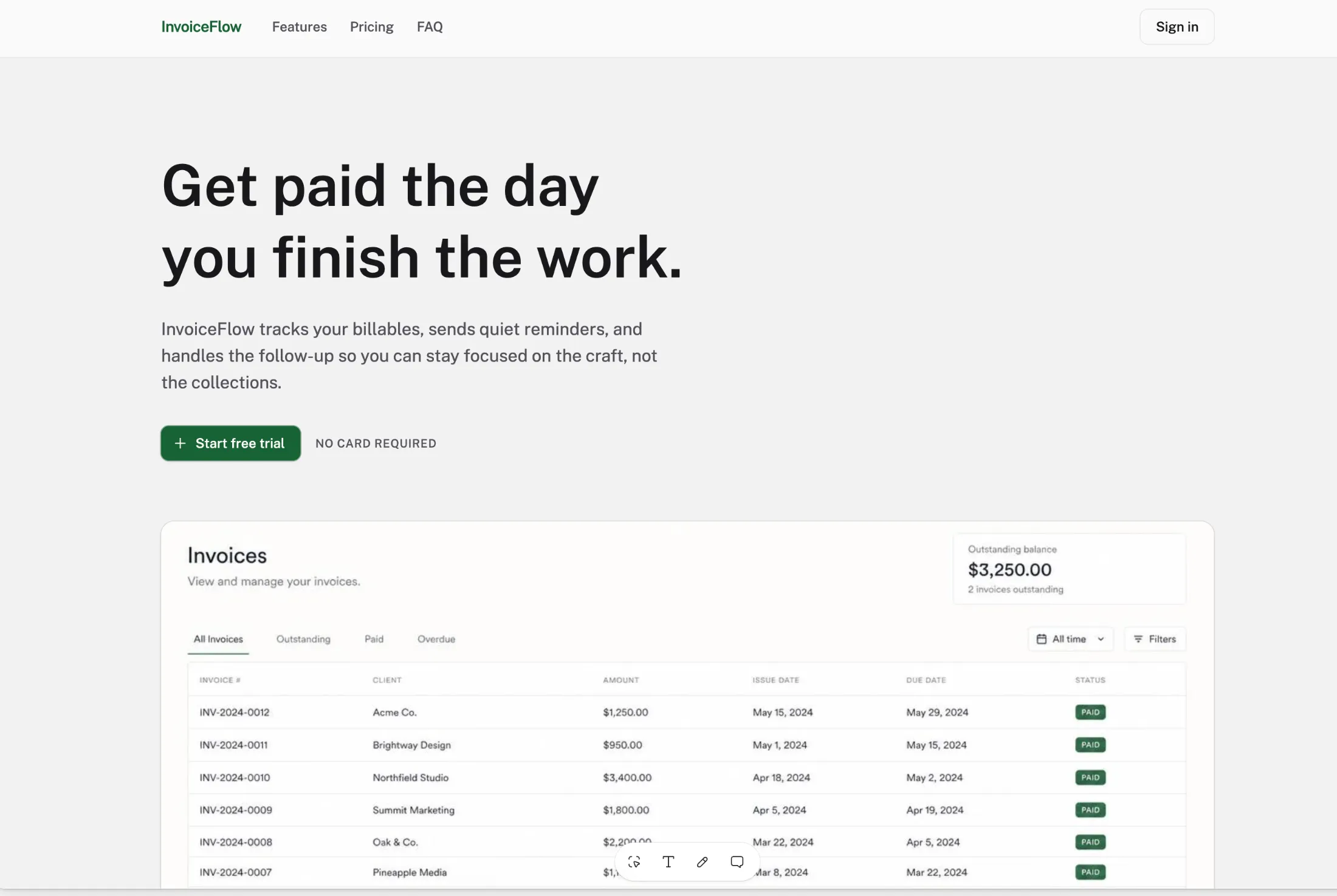
For a pure marketing page, though, it's overkill, and the design output sits a tier below Framer and Acebuilder. The other thing to watch is credits. Lovable charges per generation, and a complex page with a few revision rounds can burn through a month faster than you'd expect.
Pick Lovable if your landing page needs working forms, auth, or a backend. Skip it if you just need a page. You'll pay app-builder prices for brochure work.
4. v0: great components, not great pages
v0 is the tool I wanted to love. It generates clean React + Tailwind + shadcn/ui components, and the code quality is legitimately good. Developers on the Vercel stack will feel at home.
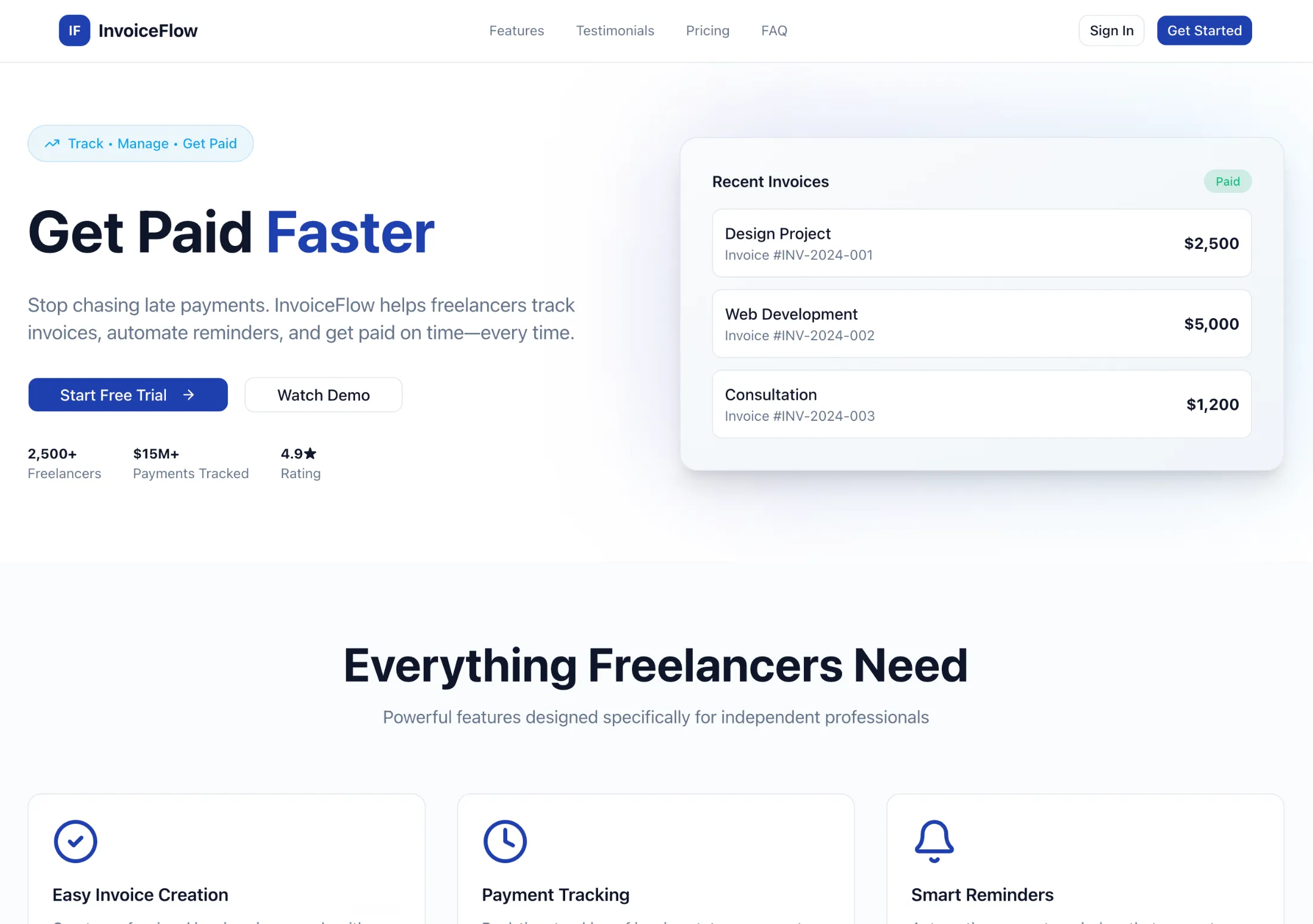
But v0 thinks in components, not pages. Ask it for a full landing page and you get something that feels assembled rather than designed. I spent more time stitching sections together and fixing the visual rhythm than I did generating. If you already have a design system and want AI to draft sections inside it, v0 is excellent. If you want a complete, cohesive page from one prompt, it's the wrong shape of tool.
Pick v0 if you're a developer who wants components, not a page. Skip it if you want a finished landing page without assembly work.
5. Durable: fast, cheap, and it shows
Durable gave me a live site in about 30 seconds, the fastest of the seven by a mile. For a plumber or a bakery that needs a web presence today, that's a real product.
For a SaaS landing page, the output is rough. Templated layouts, stock-photo energy, and editing that fights you when you try to break out of the mold. There's also no code export, so the speed you gain on day one becomes a wall the first time you need something custom.
Pick Durable if you run a local business and need a URL by lunch. Skip it if anyone at your company has ever used the word "brand."
6. Unicorn Platform: the quiet budget pick
Unicorn Platform isn't really AI-first. It's a clean, simple no-code builder with some AI assistance bolted on. The pages it makes are tasteful in a minimal, Stripe-docs kind of way, and at $9 a month it's the cheapest serious option here.
What you give up is generation quality. Where the AI-native tools produce a full page from a prompt, Unicorn gives you a solid starting structure that you finish by hand. For bootstrapped founders who like control and hate subscriptions (ironic, I know), it's a defensible choice.
Pick Unicorn Platform if you want cheap, clean, and manual. Skip it if you want AI to do the heavy lifting.
7. Unbounce: a different sport entirely
Unbounce starts at $74 a month and its AI features are aimed at one thing: converting paid traffic. Smart Traffic automatically routes visitors to the variant most likely to convert them, and the whole product is built around A/B testing and ad-to-page matching.
If you're spending five figures a month on ads, that math works. If you're a founder who needs a landing page, it's like hiring a Formula 1 pit crew to change your oil. No code export either, at the highest price on this list.
Pick Unbounce if you run serious paid acquisition and live in conversion data. Skip it if you don't know your CAC from your CTR yet.
So which one should you pick?
Honest decision tree:
- "I want the prettiest page and don't care about code" → Framer
- "I want to own the React code and keep building on it with AI" → Acebuilder
- "My landing page needs a login and a database" → Lovable
- "I'm a dev who wants components for my own page" → v0
- "I need a site for my business today, any site" → Durable
- "I have $9 and patience" → Unicorn Platform
- "I spend more on ads monthly than on rent" → Unbounce
FAQ
What is the best AI landing page builder in 2026? Framer for design quality, Acebuilder for code ownership, Lovable for pages that need a backend. It depends on what you're optimizing for, which is why this post exists.
Are AI landing page builders worth it? For a first version, yes. Every tool here produced a usable page in under an hour. Where they differ is what happens after: iteration quality, code ownership, and cost at scale.
Which AI landing page builders let you export the code? Acebuilder (full React + Tailwind source), Lovable (full-stack app code), and v0 (React components). Framer, Durable, Unicorn Platform, and Unbounce keep your site on their platforms.
What is the cheapest AI landing page builder? Unicorn Platform at $9/mo for a serious paid plan. Framer's free tier and Durable's free tier are cheaper still, but both put you on a subdomain.
Is there a free AI landing page builder? Framer, Lovable, v0, Durable, and Unicorn Platform all have free tiers with real limits (subdomains, credits, or watermarks). Acebuilder and Unbounce are paid only.
Acebuilder vs Framer: which is better? Framer produces more polished designs inside its own hosted platform. Acebuilder gives you the full React + Tailwind source code to download and build on. Pick Framer for design convenience, Acebuilder for code ownership.
Can AI build a landing page that actually converts? AI gets you structure and copy fast, but conversion comes from iteration: real headlines tested against real traffic. Tools like Unbounce exist for that layer. No generator replaces it. If you want the design side of that equation, I wrote about how to make AI landing pages not look like AI slop.
Do I own my site if I build it with Framer or Durable? You own the content, but not the code or the hosting. Your site runs on their platform, and leaving means rebuilding. If ownership matters, use a tool with code export.
What's the difference between v0 and Acebuilder? v0 generates individual React components for developers to assemble. Acebuilder generates complete, cohesive landing pages from Aceternity UI components and lets you download the full source.
How long does it take to build a landing page with AI? In this test, anywhere from 30 seconds (Durable) to the better part of an hour once I started iterating. The spread is less about the tools and more about how picky you are after the first draft.
Turn your idea into a landing page
Describe what you are launching. Acebuilder builds a polished React and Tailwind page with Aceternity UI, and you keep the source code.